Spring_Into_Bioinformatics
Connecting to your VM
You will have each been given a VM which we access using the IP address you have been assigned. All VMs are the same and we will use these for the entire course.
Follow all instructions here very, very carefully
- Open your favourite internet browser. We recommend Firefox, but Chrome is also acceptable. Safari and Edge are discouraged.
- Enter your given IP address (10.150.x.xx) in the address bar of your browser, but follow these numbers with
:8787. (RStudio has been set to broadcast on the port 8787) - Login with the username
sib2019. The username is also your initial password.
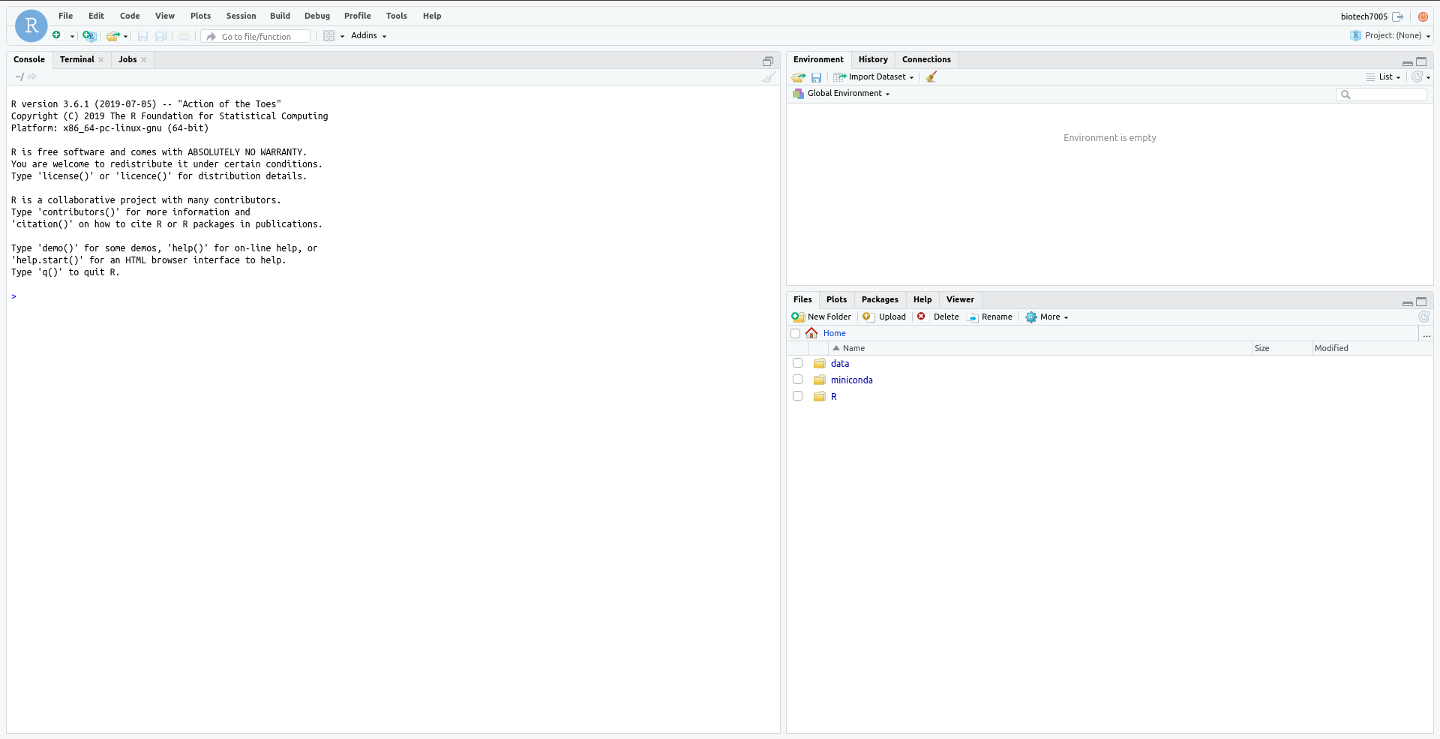
Now you should see the following image:
Reset your password
As we have all been given the same password, we need to reset this to ensure no-one else can log into our VM.
To do this we’re going to briefly use another language known as bash which we’ll introduce in more detail at a later point in this course.
Follow all instructions here very, very carefully
- Inside RStudio click the Terminal tab at the top left. You will see something like
sib2019@2019-sib2019:~$with a cursor flashing and indicating you can type here. This is also known as the prompt. - Type the command
passwdfollowed by Enter- You will now be asked to enter your existing password. NOTE THAT WHEN ENTERING YOUR PASSWORD NO TEXT WILL APPEAR AT THE PROMPT. This is a security feature.
- Enter a new password. Again, you will not see any characters appear.
- Re-enter your new password to confirm you haven’t made any typos. (If you do make a mistake, the process will abort, so just begin again by typing
passwd+ Enter) - PLEASE REMEMBER THIS PASSWORD
- At the top right of RStudio, next to
sib2019, click the logout ( ) symbol.
 - Login once again using your new password.
You now have access to your VM. Importantly, you will only be able to access your VM:
- When connected directly to the University WiFi Network
- When connected from another network using the University of Adelaide VPN
If you do not have access to the University of Adelaide network, we have provided you a VM which will be accessible from external networks.
All VMs will be shutdown one week after the completion of the course. Please do not leave any material on your machine for later, but please feel free to copy any files across to your own machine.